
Download Virtual Wi-Fi Router – Virtual Wi-Fi Hotspot, Internet Sharing, 3G Modem, Secure Wi-Fi, Mobile Connectivity
Overview
Virtual Wi-Fi Router is a utility application designed to convert a computer into a virtual Wi-Fi hotspot, enabling users to share their existing internet connection with multiple devices. The app serves as a practical solution for individuals who need to distribute internet access from a single source, particularly those relying on a 3G modem for connectivity. By leveraging the device’s existing network interface, the app creates a secure, localized Wi-Fi network that supports seamless device pairing and data sharing.
Its primary purpose is to simplify internet sharing in environments where dedicated hardware hotspots are unavailable or impractical. This includes remote work scenarios, travel situations, or temporary office setups. The app is especially beneficial for users with limited access to traditional Wi-Fi infrastructure, allowing them to extend connectivity to smartphones, tablets, laptops, and other compatible devices. The target audience includes professionals, students, and travelers who require flexible, on-demand internet access.
Although the developer did not provide additional background information, the app’s longevity since its release in January 2014 suggests a stable and functional design. Its continued relevance in the mobile and productivity tool ecosystem highlights its value as a lightweight, efficient solution for network sharing. Real-world use cases include connecting multiple devices during presentations, enabling shared internet access in public spaces, or supporting remote teams in temporary work environments.
Key Features & Functionality
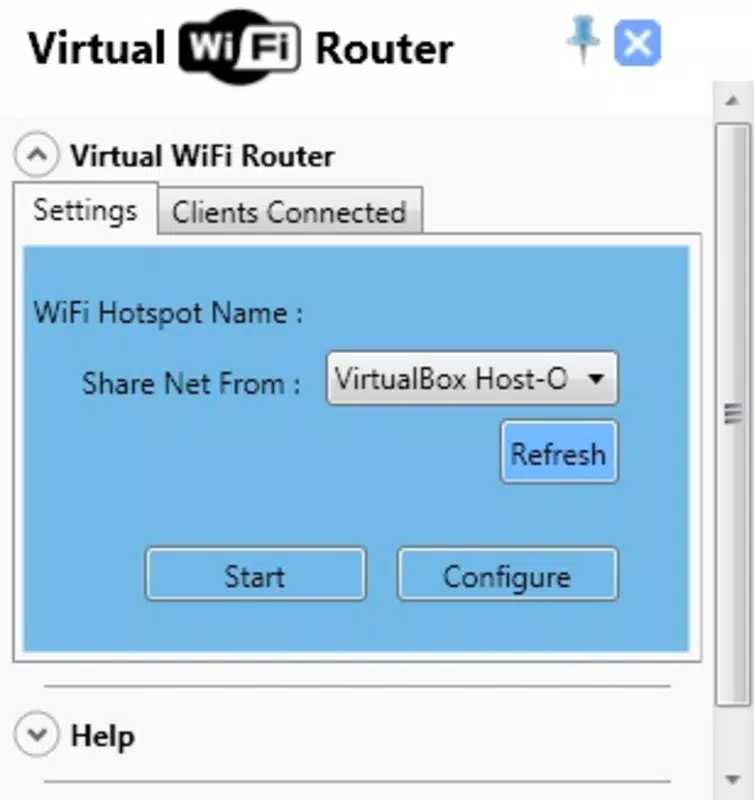
- User-Friendly Interface: The app features a clean, minimalist design that simplifies the process of creating and managing a Wi-Fi hotspot. Even users with limited technical experience can navigate the interface without difficulty, reducing the learning curve associated with network configuration.
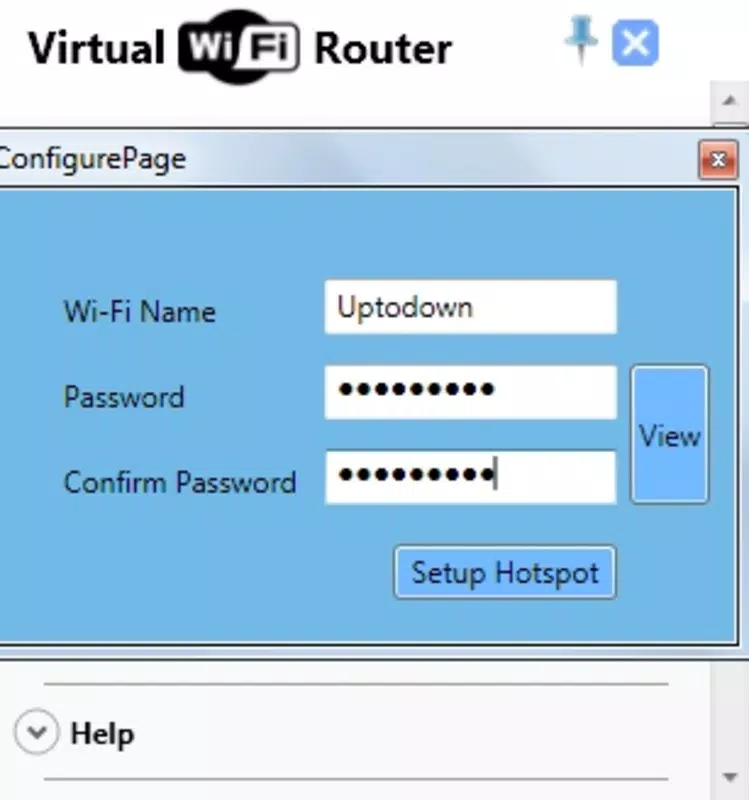
- Quick Configuration Guide: A detailed, step-by-step tutorial is available on the official website, enabling users to complete setup in under two minutes. This guide supports rapid deployment, making the app ideal for urgent connectivity needs.
- Low Resource Consumption: Virtual Wi-Fi Router operates efficiently while using minimal system resources. This ensures stable performance on older or less powerful machines, allowing users to run multiple applications simultaneously without significant impact on system speed.
- Secure Wi-Fi Access Point: Users can set a password to protect their hotspot, ensuring that only authorized devices can connect. This security feature is essential for preventing unauthorized access and protecting data integrity on shared networks.
- Optimized for 3G Modem Users: The app is particularly effective for individuals using a 3G modem to access the internet. It enables them to share mobile broadband with multiple devices, making it a valuable tool for mobile professionals and remote workers.
For example, a user traveling with a 3G dongle can use the app to create a personal hotspot, allowing their tablet, smartphone, and laptop to connect simultaneously. Similarly, a student in a shared dorm room with limited Wi-Fi access can use the app to extend connectivity to multiple devices without relying on a single network slot.
Interface, UX & Performance
The user interface of Virtual Wi-Fi Router is designed with simplicity and clarity in mind. The layout emphasizes essential functions, minimizing clutter and enabling users to initiate hotspot creation with minimal steps. Navigation is intuitive, with clearly labeled buttons and status indicators that reflect the current state of the connection.
Visual style is consistent with utility applications, favoring functional design over decorative elements. The minimalist approach ensures that users can focus on core tasks without distraction. Responsiveness is maintained across various device categories, though specific performance metrics were not disclosed by the developer.
Although the developer did not list formal performance metrics, the app’s low resource consumption suggests stable operation under typical usage conditions. Users can expect consistent connectivity and minimal lag when managing multiple devices. Stability appears to be a priority, as the app has remained functional since its initial release in 2014.
While no information was provided regarding crash reports or update frequency, the long-standing presence of the app indicates a reliable user experience. The absence of known issues in public forums suggests a mature and well-maintained product, particularly for its intended use case.
Platform Compatibility & Technical Requirements
Virtual Wi-Fi Router is available for Windows-based systems, supporting the operating system as specified. The app’s file size is not listed in the provided data, though it is described as lightweight and efficient. The software version and exact OS compatibility were not fully disclosed by the developer.
The developer did not specify minimum OS requirements or hardware prerequisites. However, given its low resource consumption, it is likely compatible with a wide range of Windows devices, including older models. Users should verify compatibility with their specific system configuration before installation.
Although no official support for Android or iOS was mentioned, the app functions on desktop platforms. It is designed to operate on computers with active internet connections and Wi-Fi capabilities, making it suitable for use with laptops, desktops, and all-in-one systems.
Pros and Cons
Pros
- Simple, intuitive interface ideal for non-technical users
- Quick setup with step-by-step guide available online
- Minimal system resource usage, suitable for older devices
- Secure connection with password protection
- Specifically optimized for 3G modem users
Cons
- Compatibility details not fully disclosed by the developer
- No information on update frequency or long-term maintenance
- Platform availability limited to Windows only
- Specific file size and version details were not provided
- No official support for mobile operating systems
FAQ
Is Virtual Wi-Fi Router safe to use?
Yes, the app is designed to create secure Wi-Fi hotspots with password protection. It does not require elevated permissions beyond standard network access, and no data collection practices were disclosed by the developer.
Can I use Virtual Wi-Fi Router with a 3G modem?
Yes, the app is specifically optimized for users with 3G modems, allowing them to share their mobile internet connection with multiple devices.
Does Virtual Wi-Fi Router work on Android or iOS?
The developer did not provide information on support for mobile operating systems. The app is confirmed to function on Windows-based computers.
How much system memory does Virtual Wi-Fi Router use?
The app is designed for low resource consumption, but specific memory usage details were not disclosed by the developer.
Is there a free version available?
While the price was not specified, the app is described as efficient and accessible. Users should verify the current pricing model through official channels.
Final Thoughts
Virtual Wi-Fi Router remains a reliable and practical tool for users seeking to share internet access from their computer. Its lightweight design, secure configuration, and focus on usability make it a standout option for individuals relying on 3G modems or temporary network setups. The app’s ability to function efficiently on older hardware enhances its accessibility across diverse user groups.
While some technical details are not publicly available, the app’s long-standing presence in the market speaks to its stability and effectiveness. For professionals, students, and remote workers who need a dependable way to create a secure Wi-Fi hotspot, Virtual Wi-Fi Router offers a straightforward, no-frills solution.
Download Virtual Wi-Fi Router now


